cocos2d-x 3.17.2 에러 고치기
이제는 정말 사용하는 사람이 없을 거 같은 cocos2d-x 지만 그래도 정리!
cocos2d-x 3.17.2
Xcode Version 15.3
MacBook Pro 16 Apple M1 Max
cocos2d-x 새 프로젝트를 만들고
cocos new MyGame -p com.example.mygame -l cpp -d Projects
- MyGame: 프로젝트 이름.
- -p com.example.mygame: 패키지 이름.
- -l cpp: 사용 언어 (C++). 다른 언어를 사용하려면 lua 또는 js로 변경.
- -d Projects: 프로젝트가 생성될 디렉토리.
빌드를 하면 처음 만나는 에러
error: no matching function for call to 'iconv_close'
iconv_close(_iconv);
error: no matching function for call to 'iconv'
iconv(_iconv, (char**)&pin, &inLen, &pout, &outLen);
>> 아래와 같이 고쳐주면 됩니다.
iconv_close((iconv_t)_iconv);
iconv((iconv_t)_iconv, (char**)&pin, &inLen, &pout, &outLen);
고치고 빌드하면 다음 에러
clang: error: SDK does not contain 'libarclite' at the path '/Applications/Xcode.app/Contents/Developer/Toolchains/XcodeDefault.xctoolchain/usr/lib/arc/libarclite_iphonesimulator.a'; try increasing the minimum deployment target
>> minimum deployment target 올려줍니다.

그다음 에러는 나와주세요
ld: building for 'iOS-simulator', but linking in object file (/Users/developersister/Library/Developer/Xcode/DerivedData/MyGame-arevgwsrbjbafyfxixwplzejloah/Build/Products/Debug-iphonesimulator/libcocos2d iOS.a[743](btCollisionAlgorithm.o)) built for 'iOS'
clang: error: linker command failed with exit code 1 (use -v to see invocation)
>> Rosetta 시뮬레이터를 추가하여 선택해 줍니다.
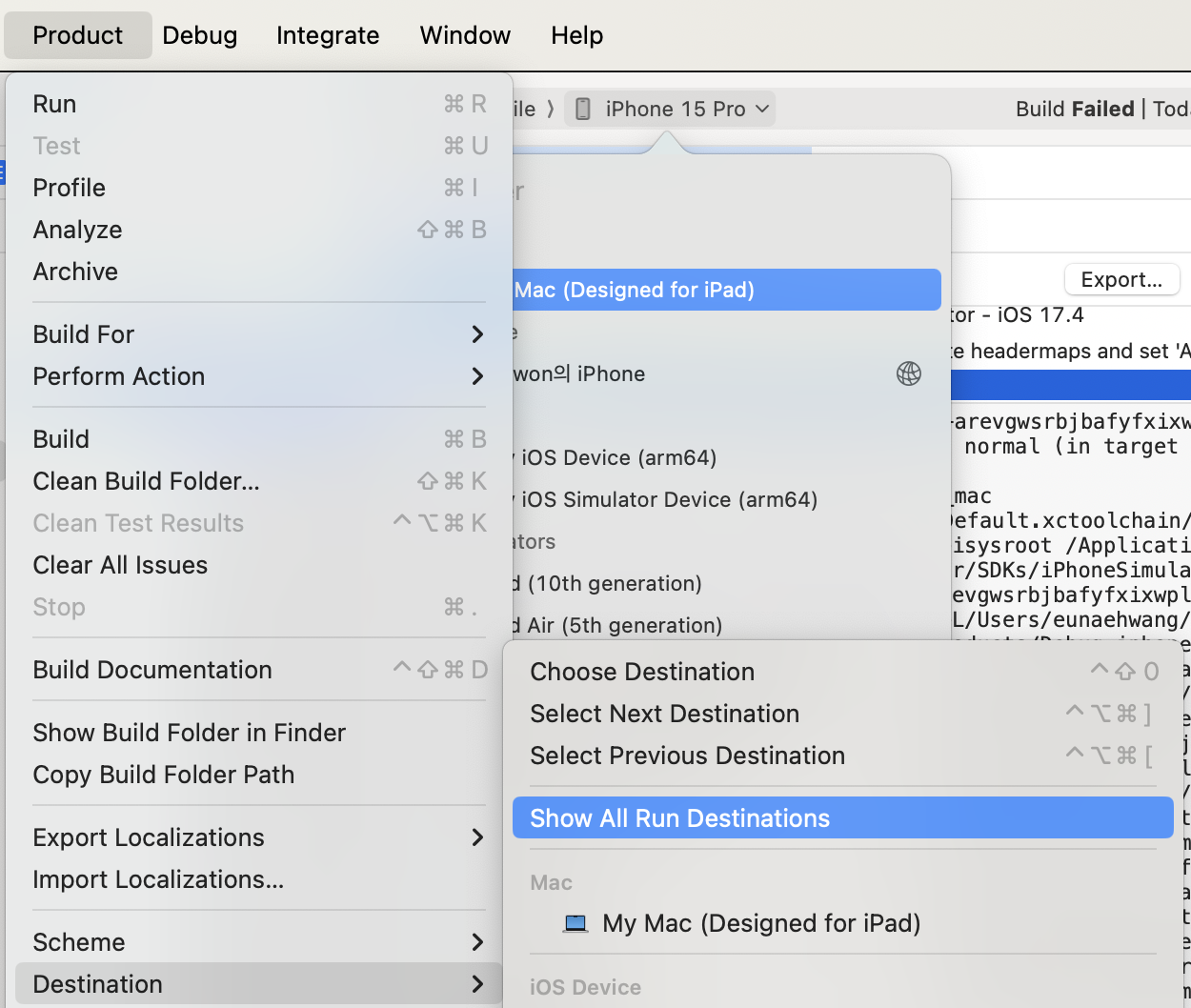

그리고 또 다음 에러는 Undefined symbol 이 와르르르르 뜹니다.

이쯤 되면 포기해야 하나 싶지만... 당황하지 않고
User-Defined > VALID_ARCHS 에 x86_64 를 추가해 줍니다.

드디어 빌드가 되는구나 싶은데 Simulator device failed to install the application 팝업이 뜹니다.
내용은 Info.plist does not contain a valid CFBundleShortVersionString
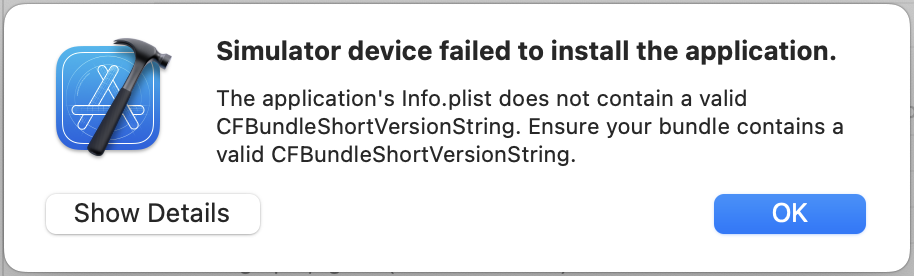
Info.plist에 비어있는 CFBundleShortVersionString를 채워줍니다.

빌드 성공!!! 반갑다 헬로월드!

'iOS' 카테고리의 다른 글
| iOS 앱 다국어 언어 지원 기본언어 설정 (0) | 2025.02.11 |
|---|---|
| iOS 시뮬레이터 갤러리 사진 경로 (0) | 2025.01.08 |
| pod install 경고 CocoaPods 설정과 Xcode 빌드 설정 충돌 (0) | 2024.12.23 |
| iOS 앱스토어 수출 규정 관련 문서 누락 해결 방법 (0) | 2024.12.18 |
| iOS 에러 Cannot create __weak reference in file using manual reference counting (0) | 2021.10.21 |


